API Information
Integration Types & Schemas
Flow Configurations
Flow Configurations are the how tasks are executed within the Chain.io network. These configurations are essential to running a Flow Execution in the Chain.io portal. Flow Executions have the following basic steps:
- It receives data from a data source
- It fires a webhook with the raw data from the data source to an Input Adapter
- It listens for a callback from the Input Adapter with data transformed into the Chain.io Canonical JSON format for the Flow Type
- It runs zero or mutations on the data which may be configured by the end user who setup the flow
- It fires a webhook with the transformed data to an Output Adapter
- It listens for a callback from the Output which completes the Flow Execution
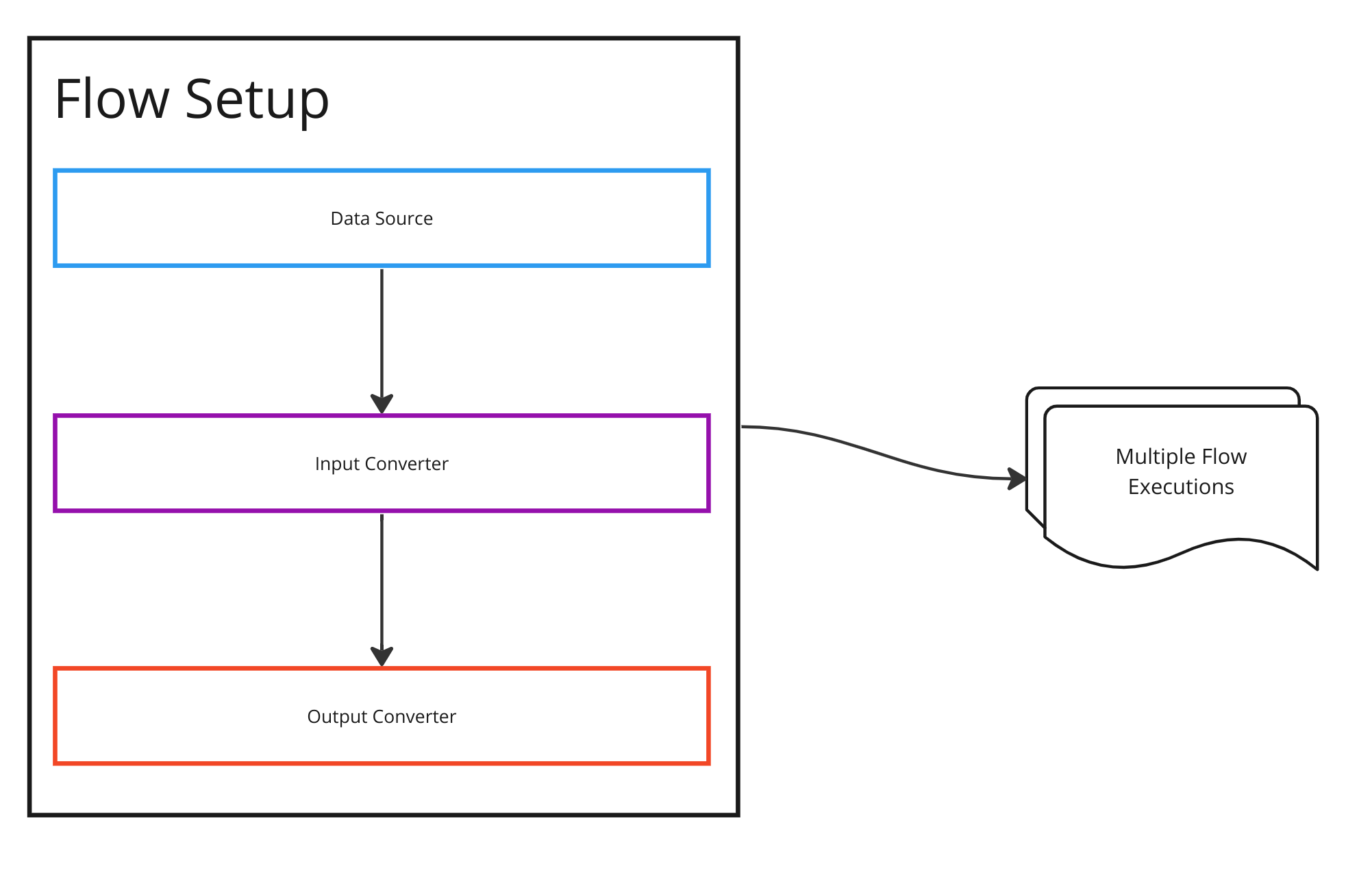
Each Flow Configuration is called multiple times. The individual calls result in Flow Executions
Adapters
Adapters are the programs you write to receive data from Chain.io and return results. Each adapter begins by receiving data to a webhook endpoint that you host, and ends when you call a callback URL that is embedded in the result.
You can write your adapters in any language and host them in any location. The only technical requirements are that they communicate via HTTPs and are able to receive webhooks and post responses.
Need help building your adapters. The Chain.io Professional Services offers a wide range of services including design consulting, coding, and hosting. Contact us at info@chain.io for more details.
There are two types of adapters that you can write depending on where your application fits into the Flow Setup. An Input Adapter and an Output Adapter
Input Adapter
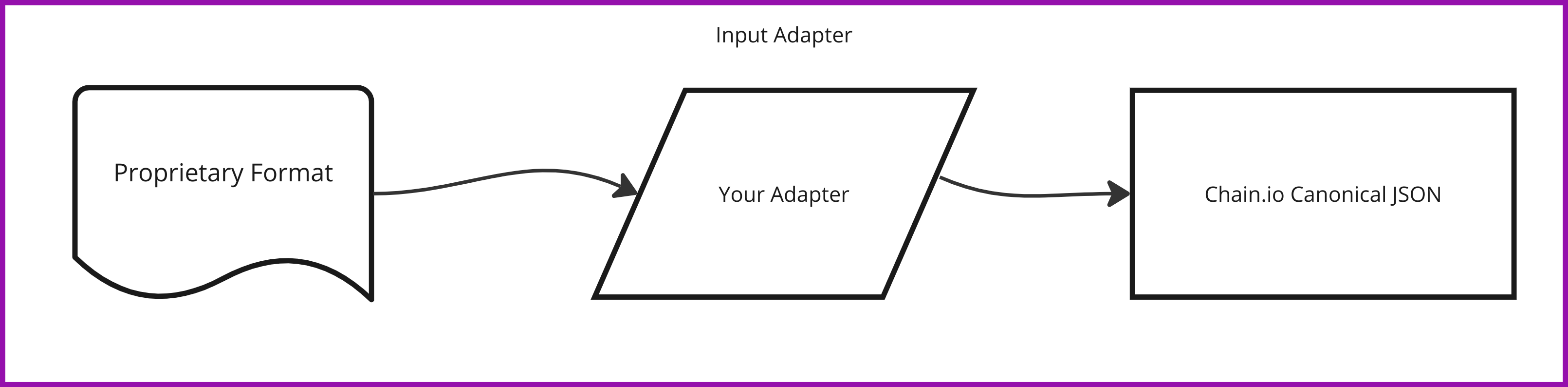
Input Adapters take data in your application's proprietary format and convert it into the Chain.io Canonical JSON format that's appropriate for the type of Flow Setup that you're participating in. The main use case for an Input Adapter is when you want to be able to feed data into the Chain.io network without modifying the core functionality of your system. For example, you might already have a function that sends a webhook with the relevant information that your customer could use as the Data Source on the Chain.io network. Then you could write a separate microservice to represent the Input Adapter, which would turn your webhook data into the Chain.io format.
Output Adapter
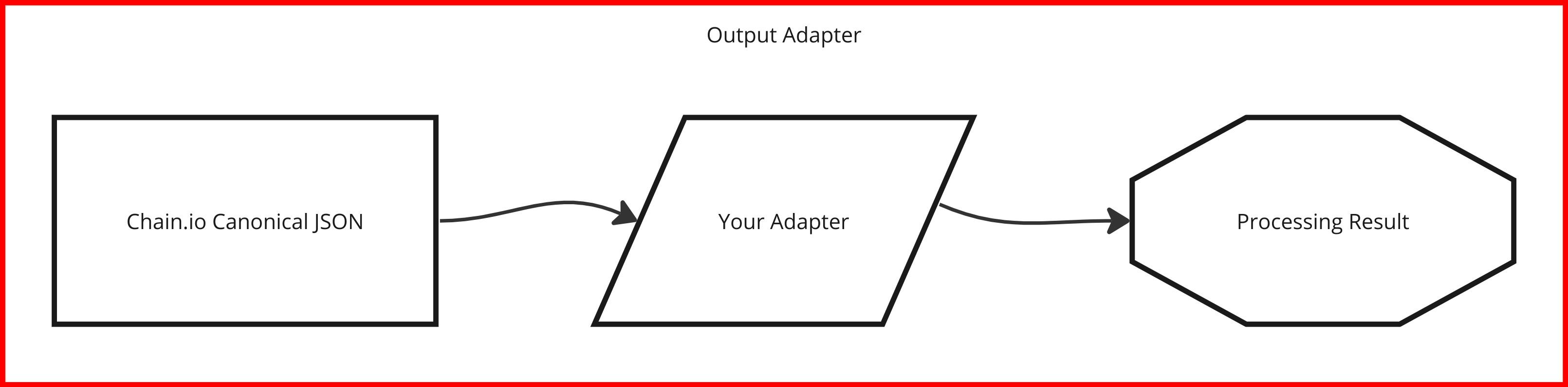
Output Adapters are the end of the processing line. This is where you take Chain.io Caninonical JSON and write or deliver data to your system. For example, if you have a service that needs a data stream of a customer's newly created shipments, you'd write an output adapter that receives the shipment data and writes it to your database.
Chain.io Canonical JSON
To support a wide range of systems, Chain.io utilizes a standard set of JSON formats that encourage interoperability between systems. Each individual Flow Type has a unique data structure that you'll code your adapter to interface with.
- For an Input Adapter, you'll send data back in the Chain.io Canonical JSON format.
- For a Mutations, you'll send and receive data in the Chain.io Canonical JSON format.
- For an Output Adapter, you'll receive data in the Chain.io Canonical JSON format.
Visit the API Callbacks section of this documentation to learn about the specific format for your use case.
Flow Executions
Each time data is processed through the Chain.io network, it's represented by a Flow Execution. A single Flow Execution starts with data being sent to a Data Source, processed by a series of Adapters, and resulting in a final status.
Each Flow Execution represents a single data transformation and is immutable once it has completed. When a user resubmits a Flow Execution, it creates an entirely new Flow Execution using the same source data.
Flow Executions are visible and searchable via the Chain.io Portal. Each Flow Execution has the following component parts:
Status
Status: An indicator of the state of the execution. Valid values include In-Progress,** Skipped**, Error, Bug, or Success. While the Execution is running, it will be in the In Progress status. Once it's completed, it'll be in the status of the last adapter that executed. When you implement your response callback from your adapter, you'll always provide a status. The status you return tells the Chain.io processing engine whether to stop or call the next step in the transformation pipeline.
- Skipped indicates that your application received data that does not require further processing. For example, if your adapter only processes data for Air shipments you should introspect the inbound data for the transportation mode and return Skipped for non-Air shipments like Ocean or Truck.
- Error indicates that your application is working as expected, but there is an issue that the user should address before resubmitting the data. This can be used when there are data quality issues, or if there is a dependency on an underlying system that has failed. By returning error, you're telling the user that it's their responsibility to address the problem.
- Bug indicates that your program had an abnormal or unexpected issue that is not addressable by the user. This may be an actual programming exception or an unexpected data scenario that the user cannot address. If you return bug, you should also be alerting your technical or support team to the problem through your own monitoring tools. By returning bug, you're telling the user that it's your responsibility to address the problem.
- Success indicates that your program completed successfully and that Chain.io should move to the next step in the Flow.
User Logs
User Logs: A text log including any information you return from your adapter. Include any diagnostic messages that may be helpful for the user if they need to research. Each log message contains a text message and a status of INFO, WARNING, or ERROR. These messages are color coded to the users in the screen. The status from the User Logs are not directly tied to the final status of your adapter. If appropriate, you may return an ERROR user log message while returning Success as your final status message. This may happen if you experience an error and also have logic in your adapter to work around the problem.
Data Tags
Data Tags: A list of searchable values that you may return to assist the user in finding flow executions. Data Tags are searchable in the Chain.io Portal. Each data tag contains a string label describing the type of tag it is (like "Bill of Lading") and a value (like "MOBL12345667"). Only the values are searchable.
- You may return up to 100 data tags per adapter execution
- Users may add additional data tags themselves capturing data that is returned from input adapters or mutations in the Chain.io Canonical JSON format. These data tags do not count against your cap.
- Each label can be up to 50 characters
- Each value can be up to 100 characters
Files
Files: A list of downloadable file payloads that the user can retrieve if they need to diagnose issues with the execution. This will always include the input to the Input Adapter, the returned value from the Input Adapter, the returned value from an Mutations. Any adapter can also return zero or more file objects with their callback payloads which the user will be able to download from the Flow Execution screen.
- You may return up to 5 files per adapter execution
- Each file may be up to 100mb
- For larger files, we recommend storing them in your own hosted location and including a URL in a User Log message.
Integrations
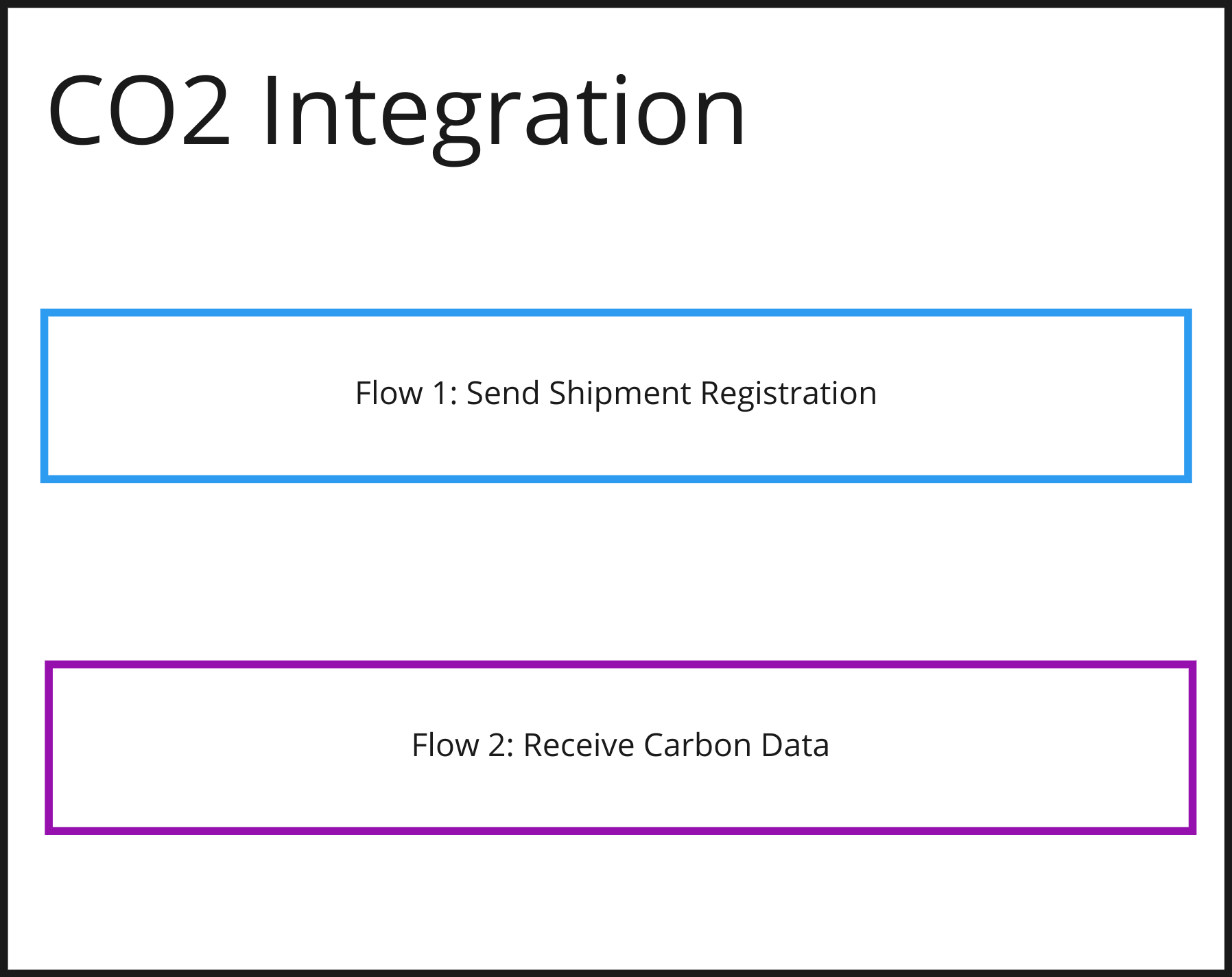
Integrations are logical groupings of Flow Setups that users use to manage a business process. One integration may include one or more Flow Setups. In our example of a Carbon Emissions data provider, the user setup one Integration with the "co2" type. Under that integration, they would configure two Flow Setups (one to register the shipments, and one to receive the CO2 updates).
Integration Types
See the Integration Types section of this documentation for a full list of all integrations and the flow setups that each support.